Before starting any creative work, I defined the target audience for the app: a parent at 2 AM, tired, anxious, baby in one hand, zero tolerance for surprises (yes, I basically looked in the mirror and wrote down what I saw).
As for the visual design and UX, I wanted everything to stay super simple. I mean, you'd hardly like being interrupted by annoying pop-ups in the middle of the night, so I designed it as ONE HUGE BUTTON you can do different stuff with.
That's why everything important is a "hold": to start a session, to end it, to switch the soundscape. An interrupted hold does nothing: if you start holding to end the session, watch the gold ring fill, and change your mind halfway, the sound stays.
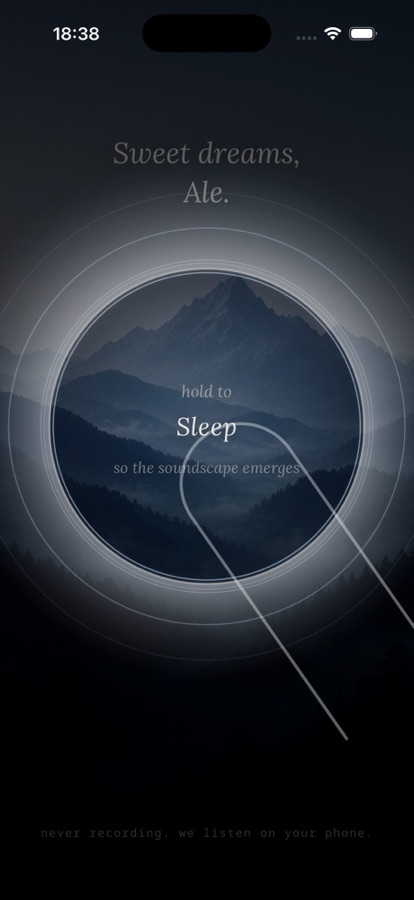
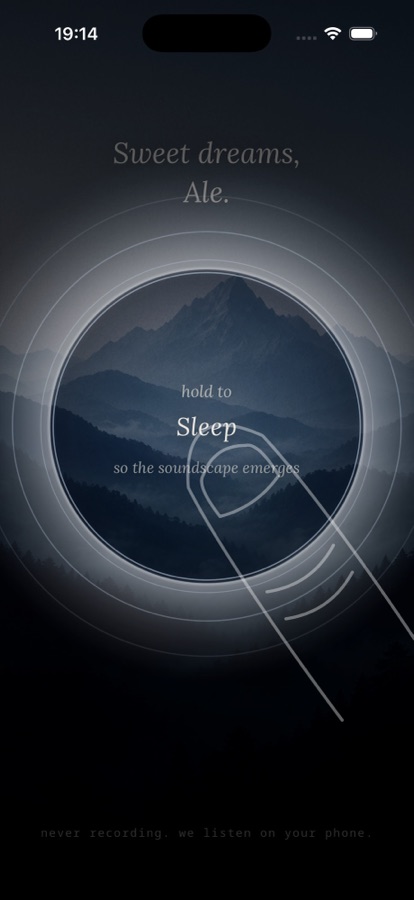
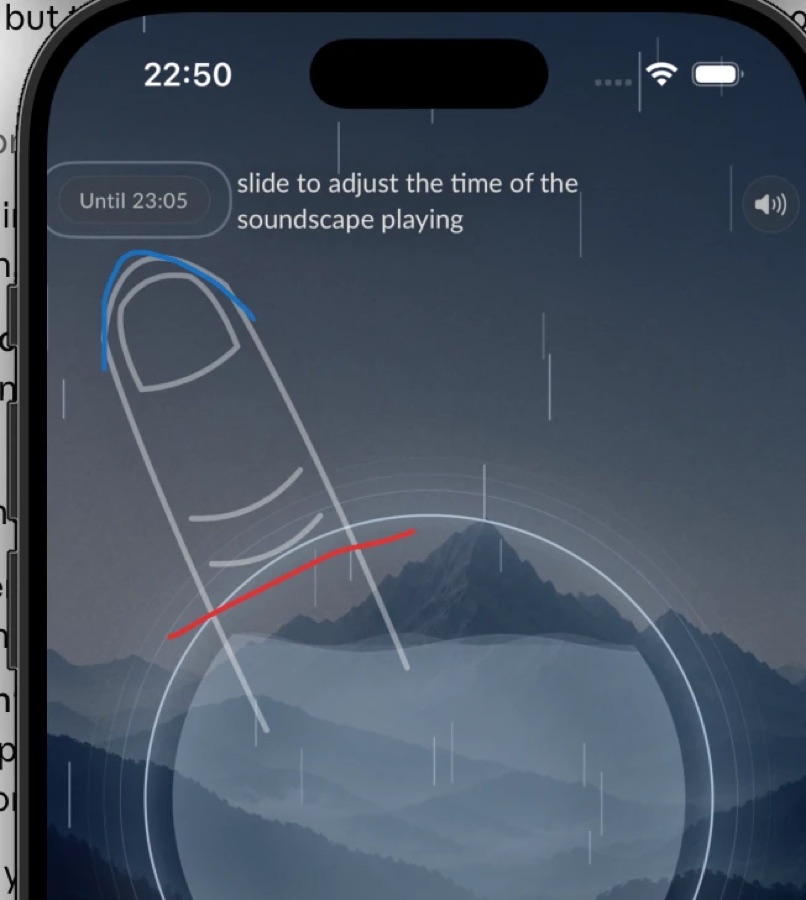
Nevertheless, people had trouble understanding how it works, so I created the tutorial. I didn't want any annoying notifications and blockers during the tutorial (imagine opening the app for the first time in the middle of the night and having to suffer through all that before you can get anything out of it), so I designed it as a layer on top of the environment. Everything goes dark except the thing you're supposed to learn, and a simple line-art animation of a schematic finger shows where to tap. At first the finger was very long and looked like a dick, so I made it more finger-ish.
Then came the critical bug: finishing the tutorial cut the sound. So I ended up with a fake session end and "you're all set, no need to finish, just leave it be", so the user isn't bound by the tutorial anymore.
Building on the idea of keeping everything simple, and given that there was water in the vessel, it obviously hit me that the water level should show the actual loudness.
After the baby has fallen asleep, the listening session starts. I tried the prototype several times and found it irritating that I always had to wait until the go-to-sleep session ended, or end it myself, then press the "would you like the app to listen tonight? YES" button, and only then the app would actually listen. So I made the app start listening after a session is finished, if the current time is within the listening window (6 PM to 7 AM by default, adjustable in the options). In iOS 27 this whole mechanic broke, and it appeared that from now on no app is able to turn on microphone if the phone is locked, so I had to fix it again: now the microphone starts with the session, and remains working if the session ended within the listening window.
Outside the listening hours the app listens only if you ask it to, by pressing the correspondent button.
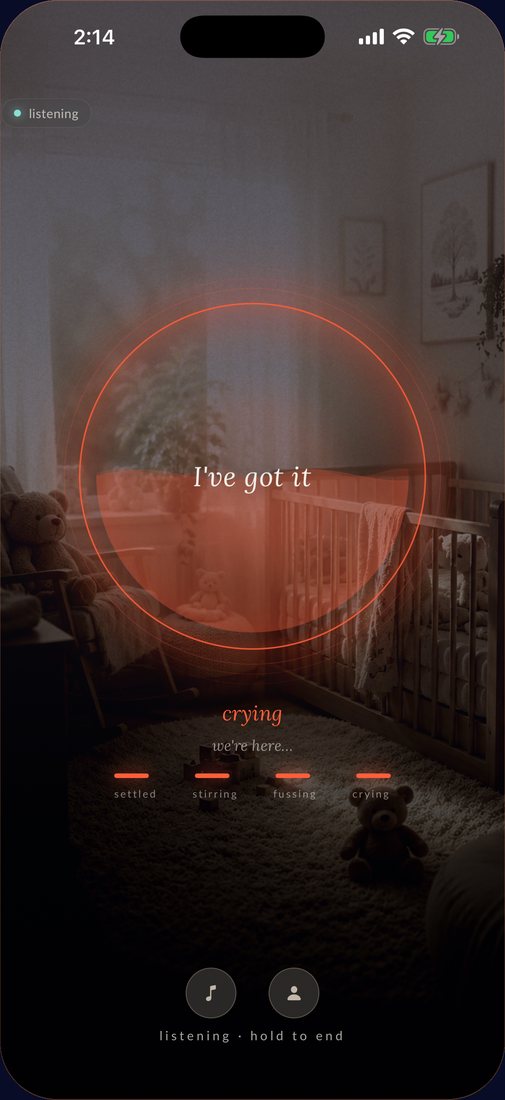
At night, sometimes I wake up before the app reacts: I pick up my son, start feeding, aaaand the sound rises anyway, right into my face. So I made an "I've got it" button that fades the sound out. It stays visible for the whole response, and keeps the app from responding for 30 minutes after the button is pressed. If the user picks up the phone they're considered awake, so the 30 minutes start again every time the phone is touched.
You can also switch "I've got it" off and go back to listening mode. It helps enormously if the baby wants to play or talk after being fed and the parent wants to sleep: you put the baby in bed, they cry, and the app fades the sound in, which in my case REALLY helps lull the baby (and the parent) back to sleep.
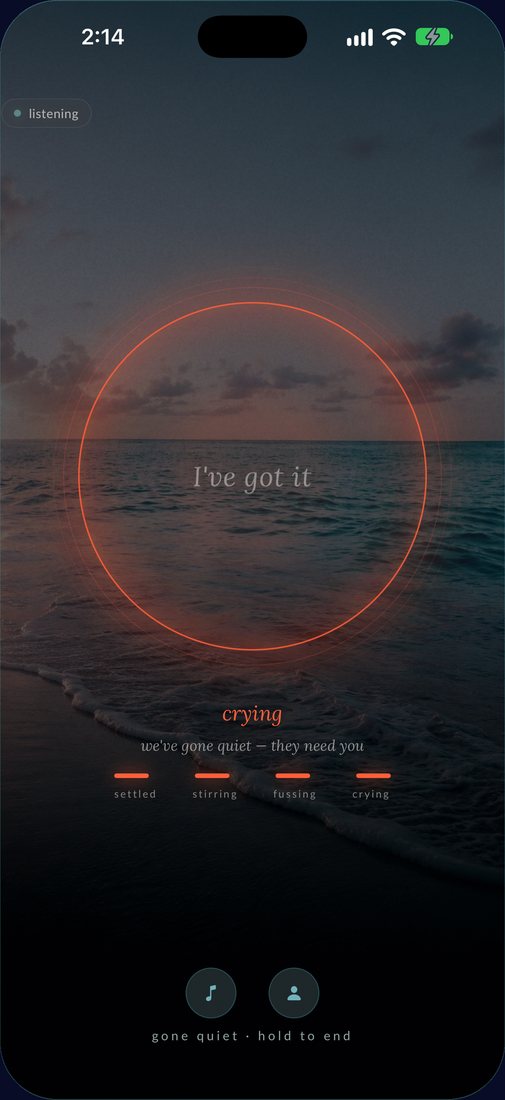
I also have general rules for the app's behavior. One night the app responded 80 times, because every tiny pause in the crying reset the "stop after 5 minutes" timer. Now there's a "storm damper": if it keeps responding within a short window, it goes quiet by itself and hands the night back. If a baby cries that much they definitely need their caregiver, not an app lulling them back to sleep. So knowing when to stop helping is a feature.
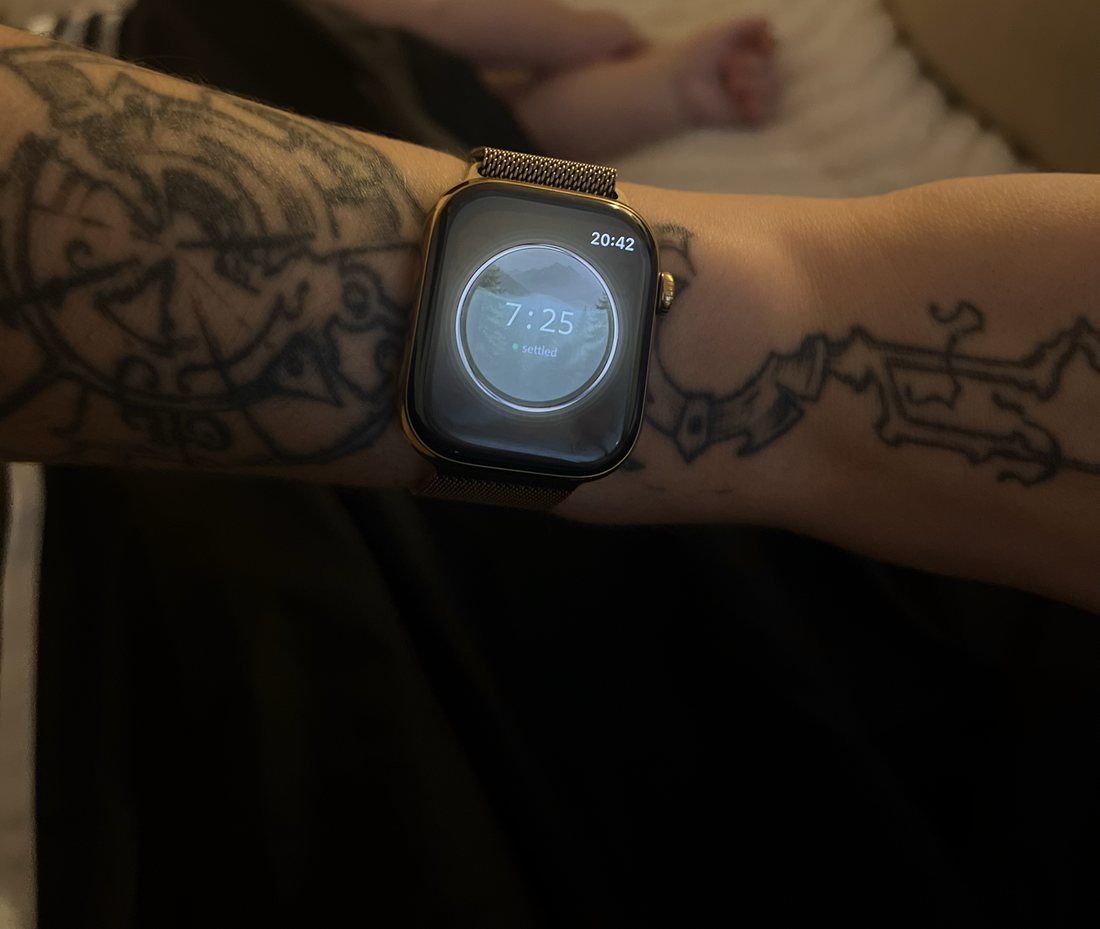
I'm using Apple Watch a lot, also sleeping with it, so at some moment I decided to make it the remote for the app. I found out I needed an Apple Watch remote, and a widget on the lock screen, so you don't have to open the app on the phone every time you need to do something. It was surprisingly easy to do, yet I'm still tweaking it (I might need some advice from real UX specialists).
Everything was great with this one (the water also drained when the sound faded at the end of the session, beautiful), but on the Apple Watch it looked so appealing that Ale paid too much attention to it and sometimes ended the session by tapping on the watch :D So I made a new rule that you can't do anything on the watch until you scroll the wheel. That was quite a mistake, because the wheel was the universal gesture for loudness, so now loudness was bound to unlocking the watch :D (We still need to fix this and I have no idea how.)
I did an enormous number of go-to-sleep sessions with Ale, and noticed I would sometimes take my phone and go work or whatever, and then I needed to finish the session manually. That meant waiting for it to wind down (up to a minute), or tapping once to pause (and leaving the session unfinished, so next time I opened the app I had to deal with it), or just killing the app to stop the sound immediately. I really hated this loose end, so I designed the "parent leaves the room" scenario: if you move the phone more than 3 meters from where it was during the go-to-sleep session, the sound fades very quickly and the app doesn't start listening. This also works on a locked phone, so you just walk away and that's it.
A few more rules like that:
- No notifications, ever. I decided to cut out all the classic annoying stuff like "it's 8 PM, would you go to the bedroom and put your baby to sleep?", or "BUY BUY BUY the app, otherwise your baby will wake up all night". I actually built cry alerts once (following Claude's advice) and removed them the next day. I bet a tired parent doesn't need a buzz, period.
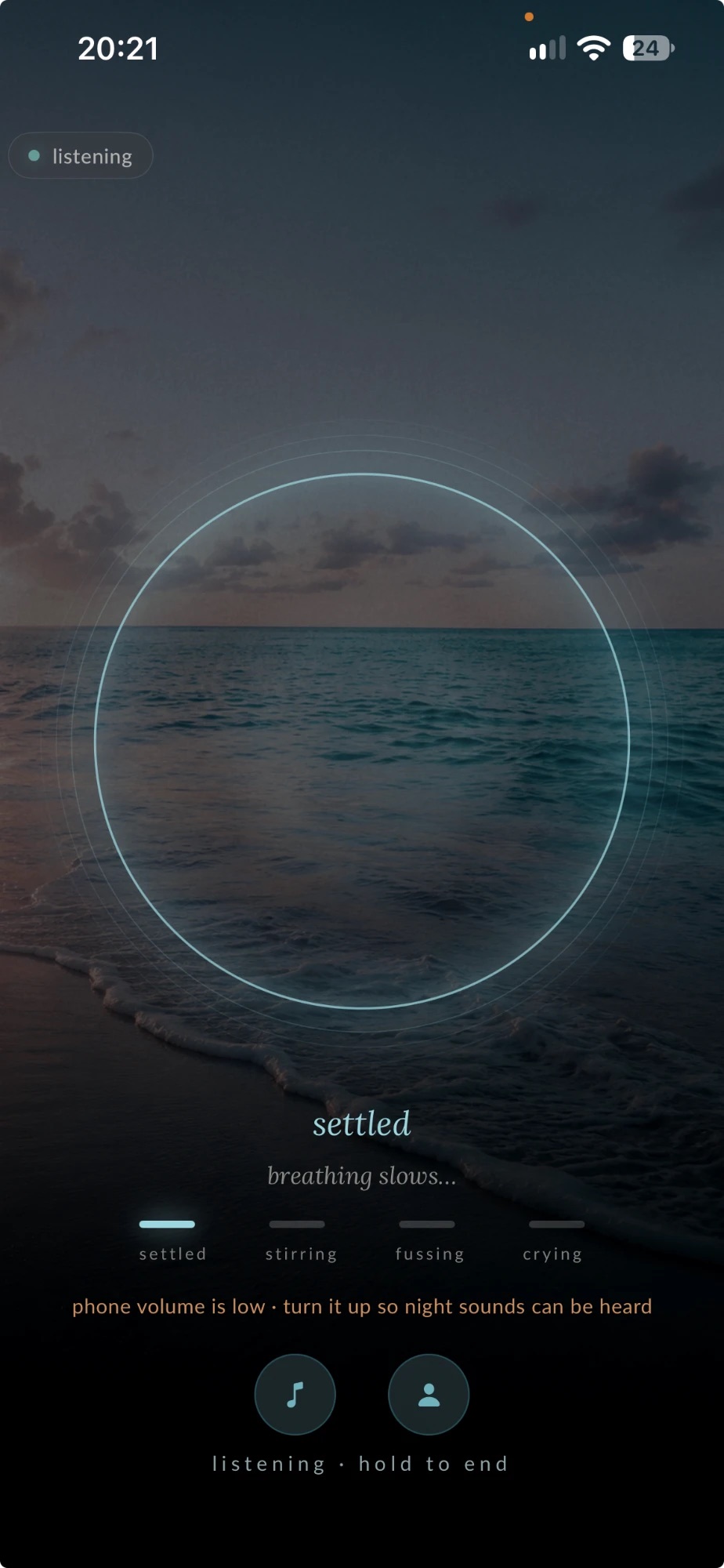 Never the full loudness at night. I'm bragging a lot about the app being so subtle that it's not waking parents up if the baby makes a couple of crying sounds, so one of the rules is that the loudness in the listening mode is reduced. Once I was really pissed as I fixed all the listening bugs, and the app still didn't fire. The debug showed that it actually fired but the loudness was too low. I basically shot myself in the foot with my own rule. The idea to turn up the phone's volume from the app wasn't good at all: first, it's too invasive for a subtle app, second it's just impossible, this hardware doesn't work like that at all. So I made a disclaimer that the phone's loudness is too low for the night listening, and if the parent misses it, the app quietly tops up its own vessel as far as it safely can, so the night sounds still reach the crib.
- If the phone is in your hand, the app waits. The response holds back for 2 minutes after you've handled the phone. This is different from the "I've got it" button: you press the button when the baby has already cried, and it keeps the app quiet for 30 minutes. The 2-minute timer only shows that the parent is awake, not the baby, so if the crying goes on after those 2 minutes, the sound still comes in.
- Your voice doesn't stop it. First I had an idea to detect all the signs that the parent "got it" and wanted to train YAMNet on shushing as well, so handling and shushing would postpone the app's response. Then I figured out it was too complicated for the app that should actually help with the shushing, so I left this one out.
- An empty vessel is a mute for tonight, but not for tomorrow. I've seen people trying to end the session by draining the vessel, and then the app obviously didn't make any sound when they tried it next time. So I designed it like this: if the user drags the loudness to zero and the session goes silent, the next one comes back at its last audible level.