



A whisper
that listens.

Helps your baby fall asleep, then listens through the night. When they start to fuss, the sound warms back up — softly, so they settle before they actually wake.

Join the closed beta App Store coming this summer · iOS only

Help a fussy baby return to sleep — without waking them.

Every change in the soundscape happens slowly — slower than a sleeping baby (or a sleeping parent) will notice. No sudden jumps. No surprises. The sound settles into the room like a hand resting on their back.

Keep a tired parent asleep nearby.

I built SleepySleep around one rule: if a tired adult is asleep in the same room, the app must not wake them. Ever. The whole sound design works under that line — soothing the baby in the cot without pulling the parent in the bed back to the surface.

Made for the dark, the tired,
the half-asleep.

One thumb. Eyes half-closed. The screen stays soft, the controls stay big, a single tap is enough to begin.

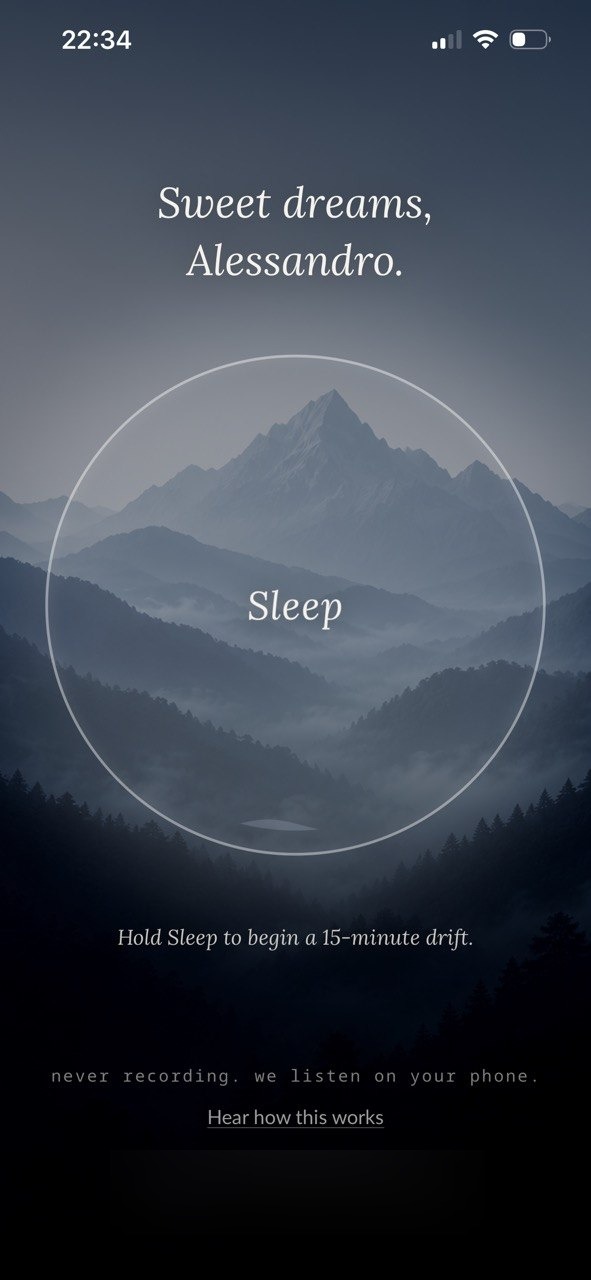
SleepySleep cold-open — Sweet dreams, Alessandro
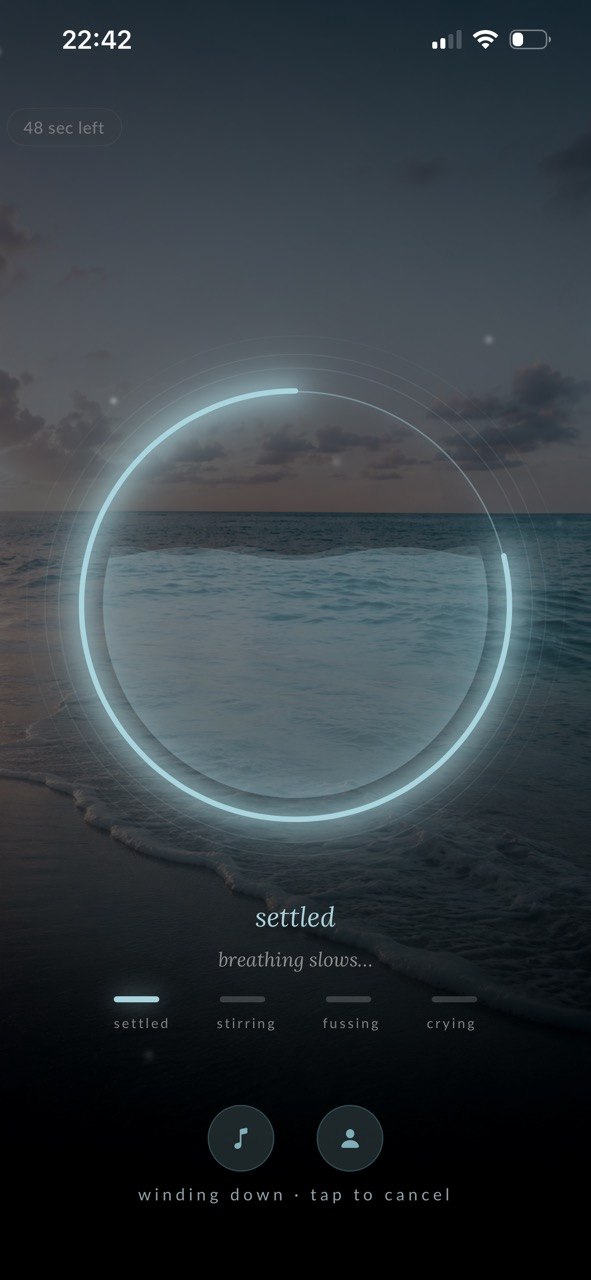
SleepySleep winding down — settled, the ocean
SleepySleep end summary — two minutes, kept

Listens.
Stands by.
Responds.

Through the night, the app is quietly listening. Most stirring passes on its own — so when your baby shifts or sighs, SleepySleep stands by instead of reacting. Only when the stirring builds toward fussing does the soundscape fade in, a little richer, a little warmer — cushioning the transition back to rest.

If they cross into crying, the soundscape pulls back so you can hear them clearly. SleepySleep knows when to lean in and when to step out of the way.

Private by design. The microphone is only active during a session. Audio is read live and forgotten the moment it's read — no recordings, no cloud, nothing leaves the room.

In the morning, you get a short text report — when your baby stirred, when they fussed, when they settled, for how long. Just the events. Never the recording.

Four states. One unified hue.

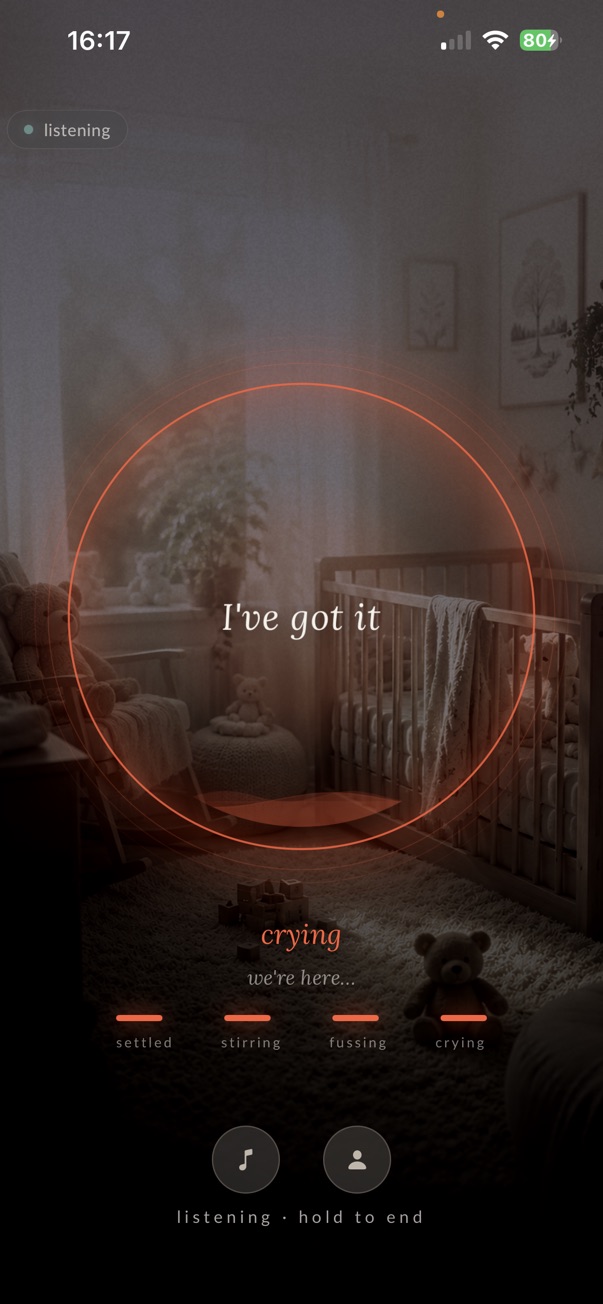
The breath ring and the ladder share the same colour the whole night — so a single glance tells you where your baby is.

Settled

Slow breathing, no movement. The soundscape rests at its baseline.

Stirring

A shift, a sigh. SleepySleep stands by — most stirring passes on its own.

Fussing

Almost awake. The soundscape gently fades up — a little richer, a little warmer.

Crying

Awake and asking for you. The soundscape pulls back so you can hear them.

521+
sounds the AI detects — your baby, your cat, the dishwasher. Extra fine-tuned on my son's fussing.
8 s
minimum ramp time on every volume change.
100%
runs on your iPhone. Never in the cloud.
0
bytes that leave the room.

Looks like this:

Putting them down

You set the phone on the nightstand and press the button. The soundscape rises slowly into the room — a soft rain on a wooden roof, somewhere far away. Your baby's eyes get heavy. So do yours.

Asleep

The app is still on, the screen long gone dark. The soundscape has settled to its baseline — quiet enough that the cat snoring on the chair is louder. SleepySleep is still listening.

A small sigh in the night

Your baby shifts in the cot and lets out a thin, building whimper. The soundscape warms gently — a little richer, a little closer. Your baby exhales. Settles. Doesn't wake. You don't either.

Whenever morning is, for you

The app has faded down on its own. There's a short report waiting on your phone — your baby stirred twice in the night and settled themselves both times. The kettle is the loudest thing in the kitchen.

Every night deserves its own atmosphere.

Five named scenes designed like cinematic environments — not loops of noise. Each one breathes with your baby through the night.

Rain on the mountains
Rain on the mountains.
In a mountain hut, heavy rain on the roof — warm and safe inside.
Misty pine forest
Misty pine forest.
A sunny pine forest in golden-hour light, leaves stirring above you.
Deep ocean horizon
Deep ocean horizon.
On the beach at sunset, waves rolling in with the tide.
A warm fireplace
A warm fireplace.
A crackling fire while a storm rages somewhere outside.
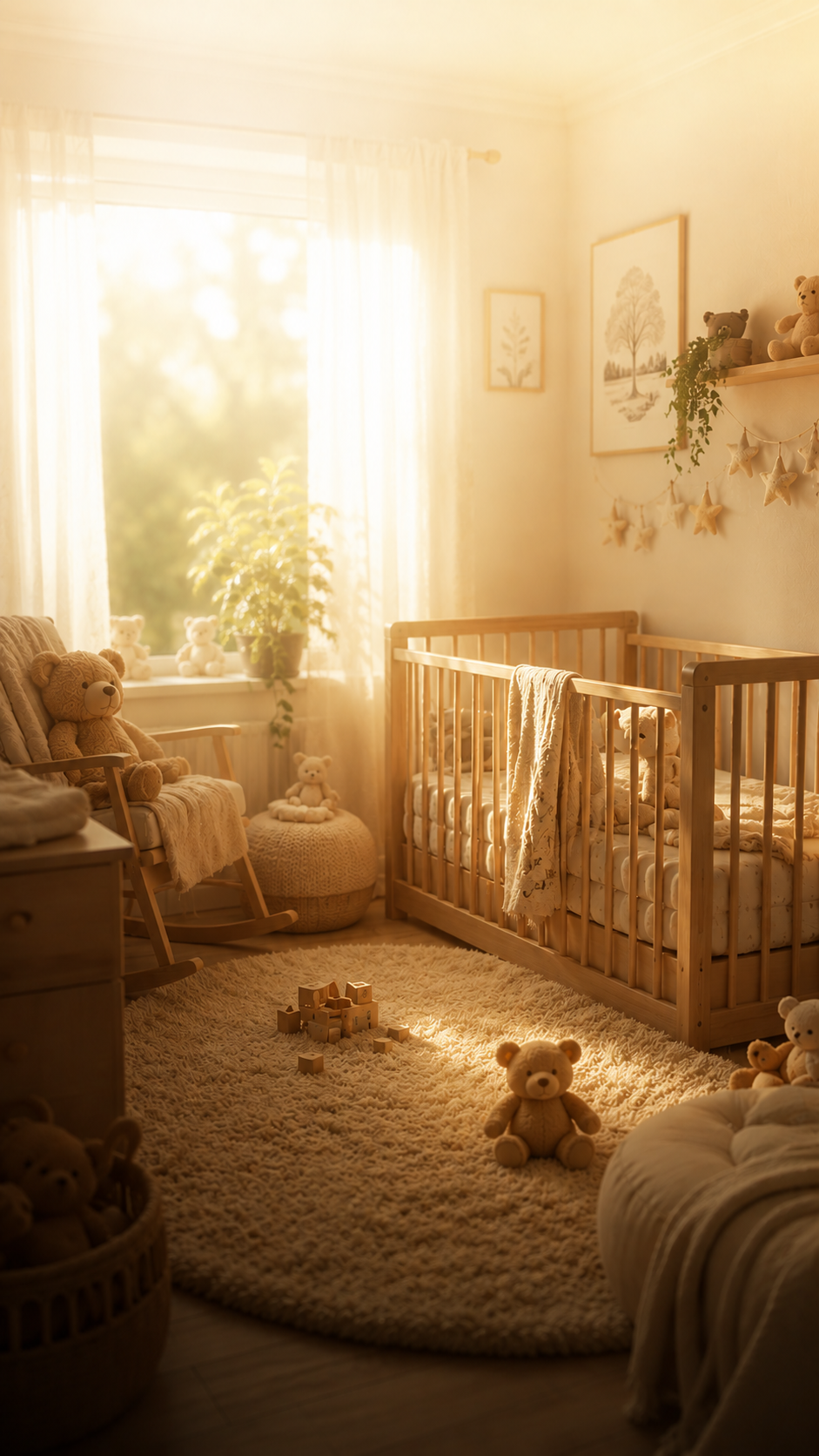
A cozy nursery
A cozy nursery.
The soft hum of life around — sounds of people who love you.

The soundscape doesn't loop. It shifts with the night, and with your baby.

Three things,
every single night.

— 01
It listens.

SleepySleep listens to the room the whole night, quietly, on your iPhone. What it hears shapes what plays next — so the night becomes a conversation between your baby and the soundscape, not a broadcast.

— 02
It responds.

When your baby starts to fuss, the soundscape warms up on its own. You don't have to wake up, reach for the phone, or do anything. Most nights, the first soothing step happens before either of you notices anything was off.

— 03
It stays smooth.

When the baby is settled, the room is silent. When SleepySleep steps in, the rise is slow enough to be felt and not heard. No jumps, no cuts, no surprises.

"Am I a game developer or what?"

My son Alessandro was born in January 2026. First-time mama, no idea what I was doing — and from the first weeks he had real trouble falling asleep. Colic made it worse.

I'm a sound designer and I love coziness. One evening, cuddling with Ale in the dim living room, I thought: "Well, am I a game developer or what?" — and built him a little bedtime experience. Orange LED, yoga music, rain from a second phone — the room glowed like a sauna in our favorite spa in Bormio, a little town in the Italian Alps. He fell asleep fast.

"How wonderful would it be to do all of this with one tap in an app?"

— me, searching the App Store. Nothing like it existed.

Then one afternoon I switched the soundscape off after he'd fallen asleep — and a noise from outside woke him right back up. That was the moment SleepySleep was born: an app that gets your baby to sleep, and then keeps listening so they can drift back before they fully wake.

From a mama, with love — Ressa

Three steps.
One peaceful night.

01

Tap the button

SleepySleep picks a soundscape for you — or you choose one. Either way, one tap begins the session. The timer defaults to 15 minutes and stretches to 60 when you need it.

02

Baby falls asleep

The soundscape eases into the room. Everything fades in slowly — no sudden jumps, no surprise volume spikes. The whole mix sits under the volume of a lightly sleeping adult, so nobody nearby wakes up.

03

The app listens

On-device AI listens for stirring. If your baby stirs, the app stands by and listens. If they move to fussing, SleepySleep gently fades back in — settling them back before they fully wake.

Small choices that matter at midnight.

Every interaction was tuned for one-thumb, eyes-closed, please-don't-wake-anyone use.

One-tap start. Long-press to end.

No menus to navigate, no settings to remember in the dark.

Dark from the first pixel.

No white flashes. Soft tones throughout, calibrated for low brightness.

Plays with the screen off.

Background audio. Phone face-down, in the dresser, in a pocket — it keeps going.

Lock-screen controls.

Pause and resume from the lock screen and Control Center. No need to unlock.

Sleep timer 15–60 min.

Default 15. Stretch to 60 when you need it. Then a soft fade-out.

No notifications. No streaks.

Nothing buzzes. Nothing reminds. Nothing makes you feel guilty for sleeping in.

Works offline.

Soundscapes live on your device — they play even if the nursery WiFi drops.

No tracking, no ads.

Your data isn't sold. Your night isn't somebody's analytics dashboard.

Naps, too. at launch

A bright daytime mode is coming with the public release — same listening, lighter chrome, for daytime naps.

Sleep, mama.
I've got the night.
— from one mama to another

Things parents have asked me.

If I missed yours, write to me — I read everything.

Does it record my baby?

No. The microphone is only active during a session, audio is read live on your iPhone, and every chunk is forgotten the moment it's read. Nothing is stored. Nothing is uploaded. Nothing leaves the room — not even to me.

Will it wake my partner?

That's the design rule I wrote everything around: if a tired adult is asleep in the same room, the app must not wake them. The volume sits below that line at all times.

On top of that, every change in the sound happens slowly — slow enough that even when the soundscape responds to your baby fussing, an adult sleeping nearby will rarely register it.

What ages is it for?

The core sweet spot is 0–3 years — the years when soothing sounds and gentle re-soothing make the biggest difference. But there's no upper limit: older kids (and tired adults) use SleepySleep too. The cry detector is tuned for baby sounds, so for older kids the adaptive part matters less, but the soundscapes still work beautifully.

Will the AI react to my voice, the TV, or the dog?

No. The on-device model can tell apart 521 different sounds (it's Google's YAMNet, trained on the public AudioSet ontology) and specifically watches for infant vocalisations. Adult speech, music, TV audio, dishwashers and dogs all register as themselves — not as "baby fussing" — and won't trigger a response.

On top of YAMNet, I also fine-tuned the cry detector on Alessandro's actual cries through his first months — so it's especially precise with baby vocalisations.

Does it need WiFi?

No. The scenes live on your device and play offline. The AI listener also runs entirely on-device — your nursery doesn't need any kind of network for SleepySleep to do its full job.

Is it free?

The closed beta is completely free, everything unlocked.

After launch: the Rain scene and the put-the-baby-to-sleep flow stay free forever. The other scenes, the adaptive listening that keeps them asleep, and smart-home integration (Philips Hue and friends) come with the paid subscription tiers.

Beta testers who share useful feedback get the listening feature free for the first year as a thank-you.

What about Android?

Just drop me a line if you'd like Android. If enough parents ask, I'll open the beta on Android too.

Be among the first
parents to try it.

Small group of parents. All five scenes ready, dark mode only for now. TestFlight invite when there's room.

No spam, no newsletter — just a quiet ask for feedback after a few nights.

You're on the list. Sleep well. ✦

iOS 17+  ·  TestFlight invite  ·  email only used for beta access